Vacuum Compression Travel Backpack for 17” Laptop
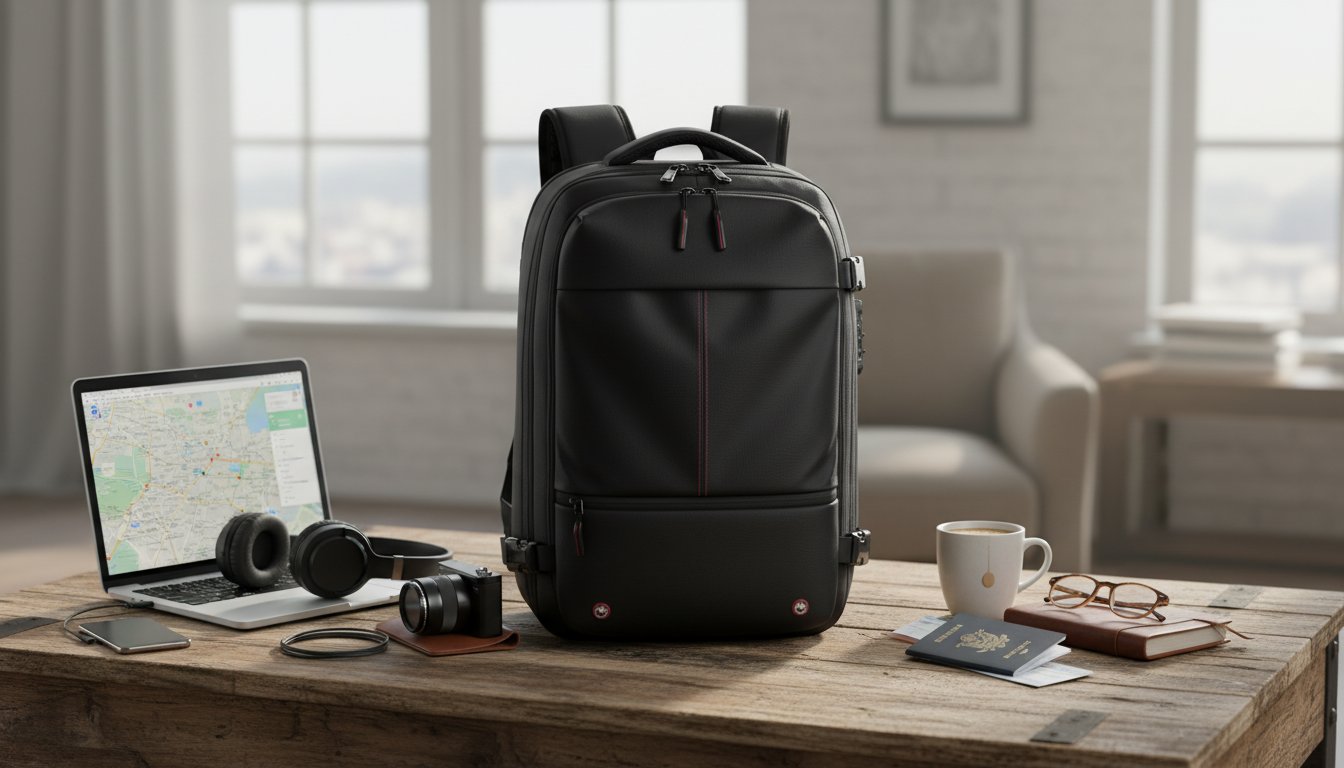
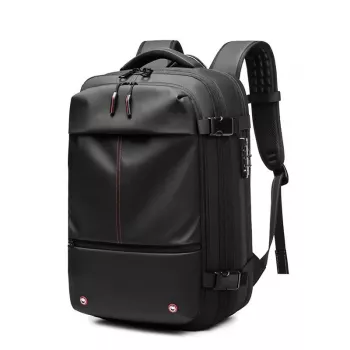
Travel Laptop Backpack with Vacuum Compression – Expandable 17” Business Bag
A vacuum-compression travel backpack is built for trips where space, organization, and a professional look all matter. This expandable business bag is designed to protect a 17-inch laptop, keep work essentials easy to access, and compress clothing to reduce bulk—helping streamline packing for commutes, conferences, and short getaways.
If a typical laptop backpack feels either too slim for overnight travel or too bulky for the office, vacuum compression and expandable storage can bridge that gap: you pack like a carry-on, but you carry like a day bag.
What Makes a Vacuum-Compression Backpack Different
Most travel backpacks rely on extra pockets or a deeper main cavity. A vacuum-compression design focuses on removing trapped air in soft items, so you gain usable room without “downsizing” what you bring.
- Vacuum compression reduces air volume in soft items like clothing, creating more usable space without changing what is packed.
- Expandable capacity supports switching from office mode to travel mode without needing a second bag.
- Business-ready organization keeps tech, documents, and small accessories separated from clothing.
- A structured laptop compartment helps protect larger devices (up to 17 inches) during transit and overhead-bin handling.
For travelers who want one bag that looks appropriate in a meeting and still handles a 1–3 day trip, the combination of a dedicated 17” laptop sleeve plus compression-driven packing is the main advantage.
How the Vacuum Compression Packing Flow Works
Compression works best when you treat it like a system rather than an afterthought. A few small habits—like where you place hard items and how you stack layers—make the final pack flatter and easier to carry.
- Pack soft items (t-shirts, base layers, underwear, light sweaters) into the compression area first; keep hard items outside to avoid pressure points.
- Smooth and fold items to minimize wrinkles; compression works best on evenly stacked layers.
- Seal the compartment fully, then activate compression (typically via a valve/pump process depending on the bag design).
- Re-check zipper alignment after compression; a fully seated zipper prevents slow air re-entry.
- Leave quick-access items (passport wallet, chargers, headphones) in external pockets so the main compartment doesn’t need to be opened mid-journey.
For airport travel, plan your layout around screening efficiency. TSA guidance can change by airport and lane, but laptops often need to be removed in standard lanes, so place your device where it can slide out cleanly without disturbing clothing (TSA: Traveling with Computers, Tablets, and Other Electronics).
Capacity Planning for 1–3 Day Business Trips
The goal isn’t to pack more “stuff”—it’s to pack smarter and keep everything easy to find. Compression is most effective on flexible textiles, while structured items should live in non-compression zones for comfort and protection.
- Clothing strategy: prioritize mix-and-match pieces and compress only what benefits from volume reduction.
- Shoes and hard cases: store in non-compression areas to maintain comfort against the back panel.
- Tech kit: group charging cable, power brick, mouse, and adapters in a dedicated pouch to prevent pocket clutter.
- Document control: keep notebooks, folders, and boarding passes in flatter sleeves to avoid bends.
- If carrying a suit or delicate fabrics, consider using a garment folder and compressing only casual layers.
Suggested Packing Layout (Example)
| Area | Best For | Avoid |
|---|---|---|
| Vacuum compression section | T-shirts, base layers, socks, light sweaters | Hard chargers, toiletry bottles, sharp-edged items |
| Laptop compartment | 17” laptop, tablet, slim notebook | Bulky objects that press into the screen |
| Front organizer pockets | Pens, cards, cables, small accessories | Loose liquids, heavy power banks without a case |
| Side pockets | Water bottle, compact umbrella | Items that snag zippers or fall out easily |
Laptop and Work Essentials: Protection and Access
A 17-inch laptop is less forgiving than smaller devices: corners, hinge areas, and zippers all take more stress if the fit is tight. A dedicated, structured sleeve helps reduce that risk—especially when a bag gets lifted into an overhead bin or slides under a seat.
- Choose a snug laptop fit: a 17-inch device should sit flat without corner pressure or forced zipping.
- Keep the heaviest tech (laptop, power brick) closest to the back panel to reduce shoulder strain.
- Use internal dividers for tablet/reader to prevent screen-to-screen contact.
- Place security-check items (laptop, liquids if carried) where they can be removed without unpacking clothing.
Carry-on sizing and personal-item rules vary by airline and route. Before relying on expansion, verify your packed dimensions against your carrier’s current policy (IATA: Cabin Baggage Guidance).
Comfort in Transit: Carry, Balance, and Long Walks
Care, Maintenance, and Getting Consistent Compression
When This Expandable Business Bag Is the Right Fit
In-Stock Picks (Internal Links)
- Travel Laptop Backpack with Vacuum Compression – Expandable 17” Business Bag
- Your AI-Powered Daily Boost Checklist | Digital Energy Tracker, Productivity Planner, AI Wellness Tool, Daily Routine Optimizer Printable & Guide
- Small Talk Made Simple | Digital Download Guide for Better Conversations, Easy Social Skills, Everyday Communication Tips, Printable eBook
FAQ
Will a 17-inch laptop fit comfortably without stressing the zippers?
Confirm your device matches the bag’s stated 17” support and place it in the dedicated sleeve so it sits flat without corner pressure. Avoid packing bulky items that push into the laptop compartment from the main cavity.
What items should not go into the vacuum compression section?
Avoid hard chargers, toiletry bottles, sharp objects, and anything that can leak, deform, or create pressure points. Reserve compression for soft clothing and fabric items that benefit most from reduced air volume.
Is a vacuum-compression backpack suitable for carry-on travel?
It can be, but airline rules vary, so the deciding factor is the bag’s final packed dimensions after expansion and compression. Use compression to reduce bulk and check your airline’s current personal-item and carry-on size limits before flying.








Leave a comment